 blog
blog
Best Medication Reminders for Elderly: 2026 Guide
Last Updated: October 24, 2026
Quick Summary
The best medication reminders for elderly parents are the ones your parent will actually use every day, not the most feature-packed device on the shelf. Match the reminder to three things: how many medications are involved, how much support is nearby, and how comfortable your parent is with technology. Combine one automated tool with one human check-in and a written backup plan.
- Smartphone apps suit phone-comfortable parents but require daily screen use.
- Audible alarms and timers help sound-responsive parents but cannot confirm a dose was taken.
- A weekly pill box is inexpensive and familiar, and works well for two or three medications.
- Electronic dispensers help when missed-dose frequency is high but cost more and need setup.
- Set a calendar reminder one week before each prescription runs out to avoid running out.
Table of Contents
- Why the Best Medication Reminders for Elderly Parents Depend on the Person
- Medication Reminder Apps for Seniors: What to Look For
- Medication Reminder Alarm for Seniors: Timers, Alerts, and Audible Cues
- Medication Reminder Devices for Older Adults: Pill Organizers and Dispensers
- Ways to Remember to Take Medication: Building a Daily Routine
- How Family Members and Caregivers Can Support Medication Adherence
- How to Choose by Living Situation, Cost, and Backup Plan
- Frequently Asked Questions
Why the Best Medication Reminders for Elderly Parents Depend on the Person
The best medication reminders for elderly parents are the ones your parent will actually use every day, not the most feature-packed device on the shelf.
Missed doses are common, and the fix is rarely one universal gadget. A 2012 review of reminder devices found they had been reported to improve medication adherence among older patients with mild dementia, while noting that their effectiveness remained largely unexplored (review of reminder devices and adherence(https://pmc.ncbi.nlm.nih.gov/articles/PMC10697399/)).
That gap matters for families. A son in another state cannot refill a pill box. A mother with arthritis cannot pop a tiny blister pack.
Below, this guide breaks down the real options, from apps to alarms to pill organizers, and shows how to match each one to a parent's abilities and living situation.
Medication Reminder Apps for Seniors: What to Look For
Medication reminder apps for seniors are smartphone programs that send dose alerts, track what was taken, and often add refill reminders and medication history. They work best for parents who already carry a phone and can tap a screen.
A 2017 review examined whether medication management apps are usable by older adults and described them as assistive tools providers may recommend to reduce risks tied to non-adherence (review of medication management app usability(https://pmc.ncbi.nlm.nih.gov/articles/PMC5694345/)).
Accessibility Features That Decide Whether an App Gets Used
Look for large display text, high-contrast buttons, and simple one-tap confirmation. Voice input helps when typing is hard. A customizable reminder schedule matters more than a long feature list. If a parent struggles with small icons or buried menus, the app will be abandoned within weeks.
Privacy, Security, and Caregiver Permissions
Check who can see medication history and whether family members need separate logins. Care coordination works only when permissions are clear. Before entering any prescription details, confirm the app's data practices and whether invited family members can view activity without changing settings.
If your parent needs help getting comfortable with a new app, this step-by-step guide on how to help seniors use technology walks through the setup patiently.
Medication Reminder Alarm for Seniors: Timers, Alerts, and Audible Cues
A medication reminder alarm for seniors is any timed alert, from a kitchen timer to a dedicated audible device, that signals it is time for a dose.
Caring Senior Service lists timed reminders and smart reminder devices among its strategies for helping older adults keep medication routines (EXTERNAL_LINK: strategies for medication routines | caringseniorservice.com).
The catch is reliability. A timer tells you when, but not whether the pill was taken.
Medication Reminder Devices for Older Adults: Pill Organizers and Dispensers
Medication reminder devices for older adults fall into two broad groups: low-tech organizers that sort pills by day, and electronic dispensers that alert and release doses. The right pick depends on how many medications your parent takes, how much dexterity they have, and which senses and skills the device leans on.
Most buying guides stop at a feature list. The more useful question is which device fits your parent's specific abilities. Use the accessibility criteria below as a filter before you compare brands.
Weekly Pill Boxes and Timed Organizers
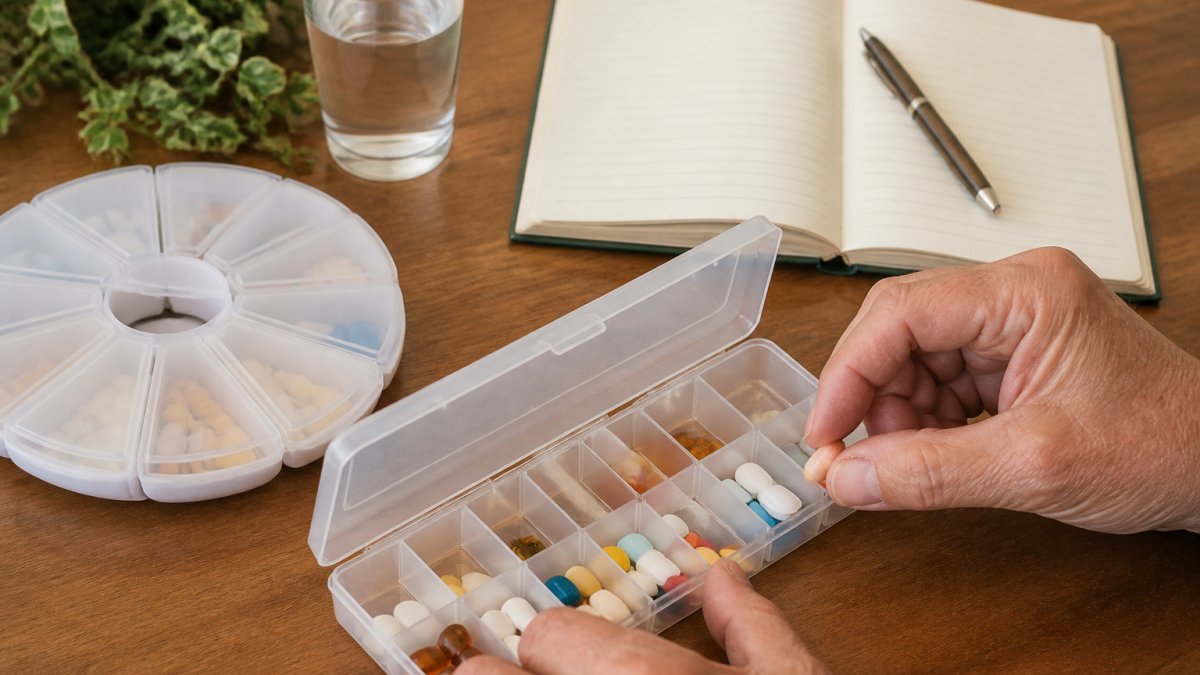
A weekly pill box is a compartmented tray that holds a week of doses, sorted by day and time. It is inexpensive, familiar, and easy to check at a glance. Timed organizers add a small alarm. For parents managing two or three medications, this is often enough. For a 90-day supply, refilling the box becomes a monthly family task worth scheduling.
Selection criteria for organizers:
- Dexterity: Look for easy-open tabs, contoured lids, or a push-and-slide latch. A parent with arthritis may struggle with stiff snap lids even when the compartments are large.
- Low vision: Choose high-contrast lids (for example, colored lids against a white tray) and large, raised day labels rather than tiny printed letters.
- Hearing loss: A timed organizer's beep is useless if your parent cannot hear it. Pair it with a visual cue, such as a flashing light or a note placed where the organizer sits.
Automatic and Electronic Dispensers
Automatic dispensers hold pills in a locked carousel or cartridge and present the correct dose at set times, often with an audible alert and a light. One design described in the research uses mobile phone calls and requires medicines to be stored in the system on the prescribed schedule (EXTERNAL_LINK: smart medicine reminder kit design | sciencedirect.com). These devices cost more and need setup, but they help when missed-dose frequency is high.
Selection criteria for dispensers:
- Setup burden: Someone must load the cartridges and program the schedule. Confirm who will do that weekly and what happens when a dose is skipped.
- Alert style: Check whether the alert is sound only, light only, or both. A parent with hearing loss needs a visual signal; a parent with low vision needs a loud, distinct tone.
- Power and connectivity: Ask whether the device runs on batteries or wall power and whether it needs Wi-Fi or a phone line. A device that stops working silently during an outage is worse than a simple tray.
| Reminder Type | Best For | Main Limitation |
|---|---|---|
| Smartphone app | Phone-comfortable parents | Requires daily screen use |
| Audible alarm or timer | Sound-responsive parents | No confirmation of dose taken |
| Weekly pill box | 2-3 medications | Manual refills |
| Electronic dispenser | High missed-dose risk | Higher cost, setup needed |
Ways to Remember to Take Medication: Building a Daily Routine
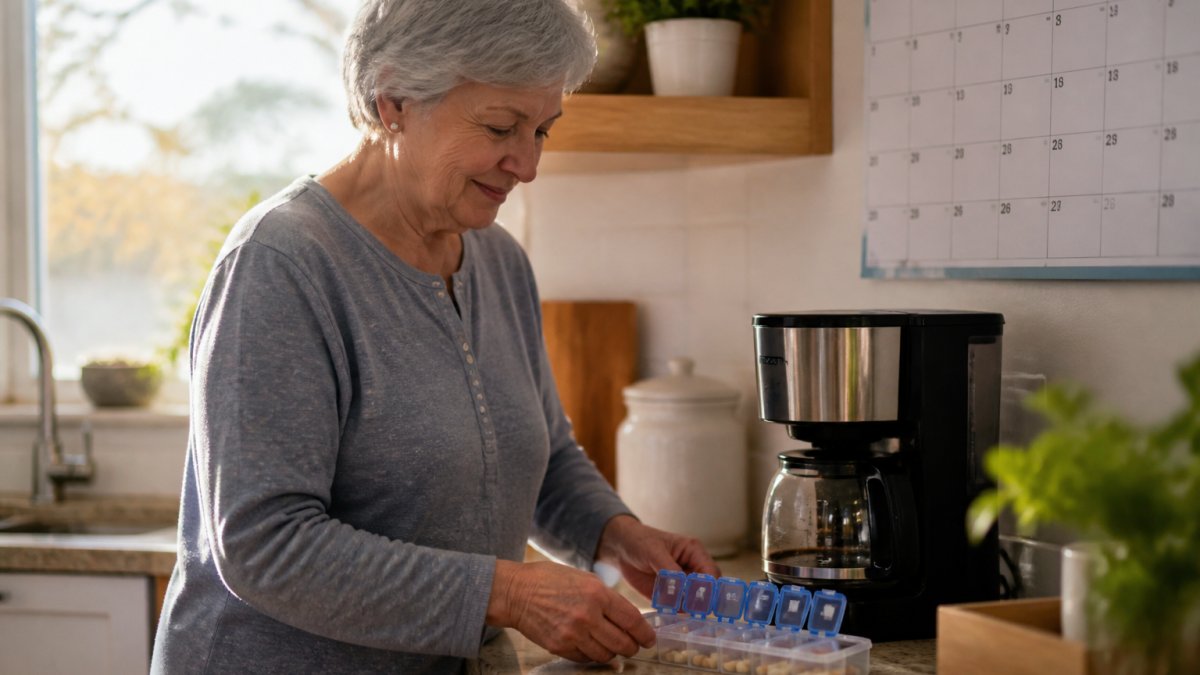
The most reliable ways to remember to take medication tie doses to fixed daily habits rather than willpower. A pill taken with morning coffee or the evening news becomes automatic within a few weeks.
Try these routine anchors:
- Place the pill organizer beside something used daily, like the coffee maker or toothbrush.
- Set reminders for the same time each day, including weekends.
- Keep a simple checklist for dose tracking and medication history.
Consistency beats sophistication. A parent who takes a dose at the same cue every day needs fewer alerts over time.
How Family Members and Caregivers Can Support Medication Adherence
Family support raises adherence more than any single device. A caregiver who checks in, refills organizers, and confirms doses closes the gaps a device cannot.
Medication reminder apps can help here by giving invited family members visibility into supported activity and reminders.
What most guides miss is the emotional side. A parent may resist reminders that feel like supervision. Frame the tools as independence, not oversight.
How to Choose by Living Situation, Cost, and Backup Plan
Choosing well means matching the reminder to the living situation first, then checking cost and backup. A parent living alone needs more automation. A parent with someone nearby can lean on human check-ins.
Use this decision framework:
- Lives alone, tech-comfortable: start with an app plus a weekly pill box.
- Lives alone, low tech comfort: audible alarm plus a timed organizer, with family dashboard visibility.
- Lives with family: a shared pill box and a simple app for tracking.
- Mild memory changes: an electronic dispenser plus regular family confirmation.
A Transparent Cost Framework
Most guides quote a sticker price and stop. Total cost of ownership matters more, because a cheap organizer that gets ignored costs more in missed doses than a slightly pricier tool that works. Compare options across four cost buckets:
- Upfront device cost: a basic weekly pill box is a one-time purchase; an electronic dispenser is a larger one-time cost.
- Ongoing subscription cost: many reminder apps are free with limited features and charge for family sharing or advanced tracking. AskMarty offers a free trial and a free plan so families can test fit before committing.
- Refill and supply cost: the cost of the medications themselves does not change with the reminder, but a reminder that prevents running out avoids rushed pharmacy trips.
- Caregiver time cost: the hours a family member spends refilling organizers or checking in are real. A tool that reduces those hours has value beyond its price.
A simple rule: add the upfront cost, a year of any subscription, and an estimate of caregiver hours, then compare that total against the potential impact of a missed dose.
Reliability and Backup Plans
Every reminder can fail. Power outages, dead phone batteries, dropped internet, and alert fatigue all break the chain. Build a backup plan before you need one:
- Power and connectivity: if a device needs wall power or Wi-Fi, note what happens during an outage and keep a simple tray as a fallback.
- Battery checks: set a monthly calendar reminder to check device and phone batteries.
- Alert fatigue: if your parent starts ignoring alerts, change the sound, move the device, or add a human check-in rather than adding more alerts.
- Missed-dose response: agree in advance what your parent should do if a dose is missed. Reminders do not replace pharmacist or prescriber guidance, so keep the pharmacy's phone number handy and follow the instructions on the prescription label.
Frequently Asked Questions
What is the best pill reminder for seniors?
There is no single best option, because the right choice depends on the person's routine, dexterity, and how many medications they take. A weekly pill box works well for someone with a steady schedule and good hand strength. A smartphone app suits someone comfortable with a phone. A timed alarm or electronic dispenser helps when doses are easy to forget. Stuck and coauthors (2017) examined whether medication management apps are usable by older adults, which is worth checking before committing to any app.
Are medication reminder apps easy for older adults to use?
Usability varies widely. Look for large text, big touch targets, voice input, and no password requirement for the person taking the medication. Stuck and coauthors (2017) specifically studied whether medication management apps are usable by older adults, so it is worth confirming an app was built with that audience in mind. A quick trial run with your parent, watching where they hesitate, tells you more than any feature list.
How can family members help an older adult remember medication?
Family members can set up the reminder system, refill pill boxes on a schedule, and confirm doses were taken. A 2012 review by Kamimura and coauthors noted that reminder devices had been reported to improve medication adherence among older patients, though their efficacy remained unexplored. A shared dashboard that shows reminder check-ins lets you stay involved without calling every few hours, which preserves independence while giving you peace of mind.
What features should I look for in a medication reminder app?
Prioritize large display text, audible and visual alerts, customizable reminder times, dose tracking, and refill reminders. Check whether a family member can view adherence without logging in as the senior. Other providers describe apps as combining dose reminders with refill tracking and medication storage. AskMarty's Daily Reminders and Family Dashboard cover medication, hydration, and appointment reminders with a senior-friendly interface and a free trial to test before committing.