 How-to
Is AI Companionship Safe for Seniors? A Family Guide
Quick Summary
AI companionship can be safe for seniors when families check privacy practices, trust, and how the tool fits into daily life. Its benefits include friendly conversation and short daily mental activities, but it should add to human relationships rather than replace them. A supervised start with a few weeks of review helps families decide whether it fits.
- The number of AI companion apps surged by 700% between 2022 and mid-2025.
- 46% of older adults have very little to no trust in AI-generated information.
- Review privacy settings together with the parent during the first week.
- Watch for signs of over-reliance, such as turning to an app instead of calling family.
- Use a five-part framework to evaluate usability, privacy, family involvement, daily usefulness, and honest boundaries.
Table of Contents
- What Families Are Really Asking About AI Companionship
- The Benefits: Reducing Loneliness and Keeping the Mind Active
- The Risks: Privacy, Trust, and Over-Reliance
- AI Companion Privacy for Older Adults: Questions to Ask
- How to Introduce AI to an Older Parent Gently
- AI Companion Safety Tips for Families
- Choosing the Best AI Companion for Seniors: How to Evaluate Options
- Your Next Step: Trying a Gentle, Supervised Start
- Frequently Asked Questions
What Families Are Really Asking About AI Companionship
Is AI companionship safe for seniors? For many adult children, that question comes up late at night, after a phone call where a parent sounded lonelier than usual. AI companion apps are spreading fast. The number of AI companion apps surged by 700% between 2022 and mid-2025, according to a American Psychological Association article citing TechCrunch.
Safety here means several things at once. It covers privacy, trust, emotional impact, and whether the tool helps daily life or quietly replaces human contact. AskMarty is an AI-powered companion app built for older adults and their families. This guide from AskMarty walks through the benefits, the risks, and the practical steps families can take.
The Benefits: Reducing Loneliness and Keeping the Mind Active
Loneliness is one of the biggest reasons families look for help. A companion that is available every day can offer friendly conversation, a reason to start the morning, and a change from quiet hours alone.
Research on older adults and companion technology points in a hopeful direction. A 2025 study of older adults' acceptance of artificial companion robots notes potential benefits for well-being and mental health.
Daily engagement can also support mental activity. A tool that offers short, enjoyable exercises gives an older adult something to do each day. In AskMarty's case, that includes AskMarty Daily Brain Quizzes with five questions a day. The goal is light, regular stimulation.
- Friendly conversation at a consistent time each day
- Short, enjoyable mental challenges
- A gentle daily routine that gives the day some structure
The Risks: Privacy, Trust, and Over-Reliance
Every tool has trade-offs. A balanced view helps families choose wisely.
Trust is a real issue. The National Poll on Healthy Aging from the University of Michigan found that 46% of older adults have very little to no trust in AI-generated information. Families should expect some hesitation and respect it.
The National Council on Aging guidance on AI for older adults recommends that families consider these risks and use an intentional safety plan.
Over-reliance is another concern. A companion should add to human relationships, not replace them. If a parent starts turning to an app instead of calling family or friends, that is a signal to step in.
AI Companion Privacy for Older Adults: Questions to Ask
Privacy is the part of AI companionship that families most often skip, and it is the part that matters most once an app is in daily use. A companion app learns a lot over time: names of family members, daily routines, medication schedules, mood patterns, and the small details an older adult shares in casual conversation.
A useful way to think about it is in three layers: what the app collects, how it stores and shares that information, and what control the user and family retain. Most privacy problems families encounter trace back to a mismatch in one of those three layers.
What the app collects
Ask specifically whether the app collects voice recordings, conversation transcripts, location data, contact lists, or health-adjacent details like medication names. Some apps collect only what is needed to run the conversation; others collect broader device and usage data for analytics. Neither approach is automatically wrong, but the family should know which one they are choosing.
A common pattern is that apps collect more than the user realizes because permissions are granted at setup and never revisited. Review the permission list on the device itself, not just the app's marketing page, and turn off anything that is not needed for the features the parent actually uses.
How it is stored and shared
Ask whether conversations are stored on the device, in the cloud, or both, and for how long. Ask whether any data is used to train models, whether it is shared with third-party vendors, and whether it is ever sold. A trustworthy provider answers these questions in plain language on a public page, not only inside a dense legal document.
Watch out: a privacy policy that says data "may be shared with partners" without naming categories of partners is a signal to ask follow-up questions before proceeding, not after.
What control the user and family retain
Ask whether the older adult can review, export, and delete stored conversations, and whether an invited family member can do the same on the parent's behalf. Ask what happens to the data if the subscription is canceled or the account is closed. A provider that makes deletion easy and visible is usually a provider that has thought carefully about the rest of its data practices.
Questions worth asking before setup
- What personal information does the app collect, and is any of it optional?
- Are voice recordings stored, and if so, for how long?
- Is data used to train models, and can the user opt out?
- Is data sold to advertisers or shared with third parties, and which categories?
- Can the older adult review and delete stored information, and can an invited family member help?
- What happens to data when the account is closed?
- Is the privacy policy written in plain language, and is it easy to find?
Read the answers together with the parent, not for them. The conversation itself is part of the safety plan, and it sets the expectation that privacy is a shared family topic rather than a technical detail.
For a broader look at how to talk with an aging parent about new technology, see our guide on introducing senior-friendly tools without pressure.
How to Introduce AI to an Older Parent Gently
Start with the parent's interests, not the technology. Explain what the app does in simple terms, then offer to try it together. Sitting side by side, sharing the device, and exploring the first few features can make the experience feel shared rather than imposed.
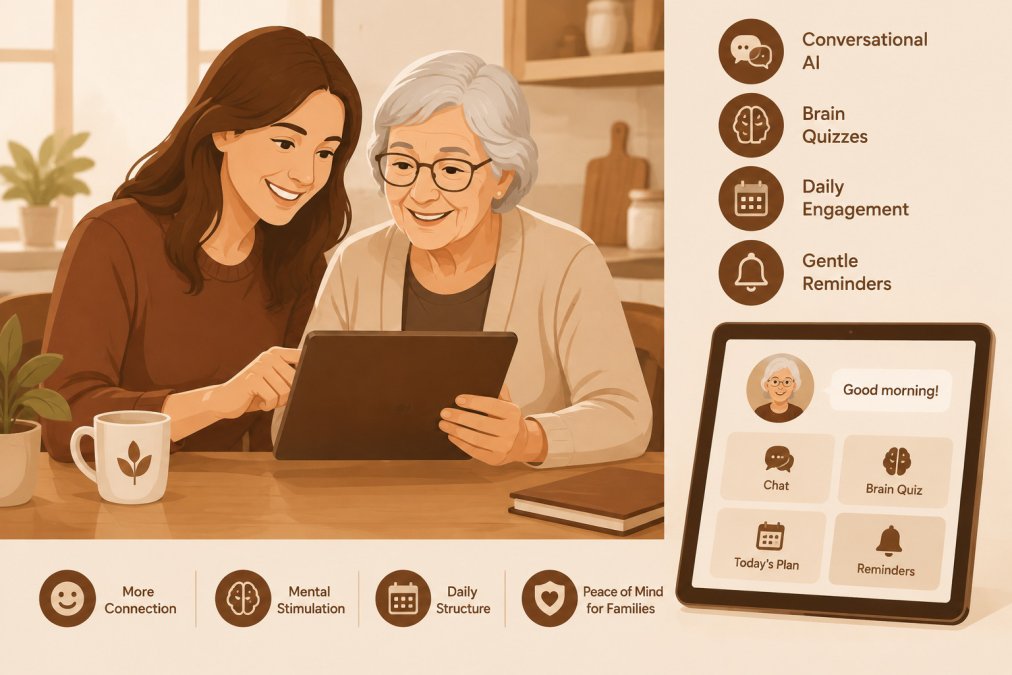
Let the parent set the pace. Some people want to try a companion right away. Others need a few weeks of conversation before they feel comfortable. Both are normal.
AI Companion Safety Tips for Families
Safety works best as a habit, not a one-time check. These practices help:
- Review privacy settings together during the first week.
- Agree on how the tool fits into the daily routine.
- Check in regularly about how the parent feels using it.
- Keep human contact a priority, with regular calls and visits.
- Watch for signs of confusion, distress, or withdrawal from people.
- Update the plan as the parent's needs change.
Choosing the Best AI Companion for Seniors: How to Evaluate Options
Most articles about AI companionship for seniors list risks and stop there. What families actually need is a way to evaluate a specific app before inviting it into a parent's daily life. The framework below turns the general warnings into a checklist you can work through in about an hour, ideally with the parent present.
A five-part vetting framework
Score each app on five dimensions. A simple pass, partial, or fail for each is enough, the goal is comparison, not perfection.
1. Usability for the actual user. Can the parent start a conversation without help?
2. Data handling and privacy. Use the questions in the privacy section above.
3. Family involvement. Does the app give invited family members a meaningful, consent-based view of supported activity and reminders?
**4.
5. Honest boundaries. Does the provider describe the app accurately, without implying it replaces human care, diagnoses conditions, or provides emergency help?
Red flags to watch for
- A privacy policy that is hard to find or written only in legal language.
- Setup that requires the family to hold the parent's password or log in as them.
- Marketing that implies the app can detect or manage a medical condition.
- No way to export or delete conversation history.
- A free trial that requires a payment method up front with no clear cancellation path.
Watch out: a demo that looks impressive in a sales call but requires a family member to operate it for the parent is not a fit, the point is the parent's independent use.
How AskMarty fits the framework
AskMarty is built for older adults and their families, and it maps to the framework in specific ways. The interface uses large text and large touch targets, supports voice input, and does not require passwords for senior users, which addresses the usability test. AskMarty AI Companion provides conversational companionship alongside daily five-question brain quizzes, covering the daily-usefulness dimension.
The AskMarty Family Dashboard lets invited relatives view supported activity and reminder information and send encouragement, which addresses family involvement in a consent-based way. The Basic Plan includes access for one family member, and the Family Plan supports up to three. Families can review the options and start a free trial at AskMarty.
Apply the same five-part framework to any other app you consider. The comparison is more useful than any single review, and it gives the parent a real role in the decision.
Use this five-part framework to compare any companion app before bringing it into a parent's daily life.
| Dimension | What to check | Pass looks like |
|---|---|---|
| Usability | Can the parent start a conversation alone? | Large text, voice input, no password needed |
| Data handling | How are conversations stored and shared? | Clear, public answers in plain language |
| Family involvement | How do relatives see activity? | Consent-based view the parent knows about |
| Daily usefulness | Does it fit existing routines? | Reminders plus light daily engagement |
| Honest boundaries | Does the provider overclaim? | Accurate description, no medical promises |
Your Next Step: Trying a Gentle, Supervised Start
A supervised start is the safest way to find out whether an AI companion fits. Choose a short trial period, sit with the parent during the first few sessions, and review how it goes after a week. Adjust reminders, keep human visits on the calendar, and check in often.
Families who want to try this approach can start with a free trial at AskMarty. Begin with a few conversations and one daily quiz, then decide what fits. Staying involved matters most, and a steady, caring routine is what keeps an older adult connected.
Frequently Asked Questions
Is AI companionship safe for seniors?
AI companionship can be safe for many seniors when families treat it as one tool among several, not a replacement for people. Safety depends on how the app handles personal information, whether the older adult understands that it is an AI and not a person, and whether daily life still includes family, friends and community. Review the privacy policy, look for clear data controls, and check in regularly on how your parent feels about the conversations. If you have concerns about mood, memory or health, talk with their doctor.
What privacy questions should you ask before choosing an AI companion?
Ask whether the company sells personal data or shares it with advertisers, how conversations are stored, who can access them, and how long they are kept. Find out whether you can delete data and close the account. Check whether family members can see only what the older adult agrees to share. A provider that answers these questions plainly and in writing is generally a better sign than one that does not.
Can an AI companion replace human connection?
No. An AI companion can offer conversation, brain quizzes and reminders between visits, but it cannot replace time with family, friends or neighbors. Some users may feel more supported by a chatbot than by people, which is a reason for families to stay involved. Use the app to add interaction to a day, then keep regular calls, visits and community activities in place.
How can an older adult tell when an AI response may be inaccurate?
Encourage your parent to treat AI answers as a starting point, not a final authority, especially for health, medication or money questions. Many older adults have little trust in AI-generated information, which is a healthy instinct. For anything that affects health or safety, confirm with a doctor, pharmacist or other trusted source.