 How-to
Why Elderly Parents Refuse to Use Technology
Quick Summary
Most elderly parents who refuse technology are reacting to a specific concern rather than rejecting technology outright. Common causes include fear of making mistakes, past frustration with devices, small screens and buttons that are hard to use, and privacy worries. AARP reports that 71% of adults age 50 and older bought technology in 2025, so the goal is to find the real barrier. Why elderly parents refuse to use technology often comes down to one of these issues.
- AARP reports 71% of adults age 50 and older bought technology in 2025, up from 67% in 2024.
- Work through a short set of questions to find the cause before choosing a solution.
- Keep teaching sessions to 15 to 20 minutes, no more than twice a week.
- Start with one task the parent already wants to do, such as a video call.
- Write steps on one page with screenshots and tape it near the device.
Table of Contents
- Why Elderly Parents Often Push Back on New Technology
- Identifying the Real Reason Behind the Refusal
- Senior Technology Adoption Barriers Families Often Overlook
- How to Bridge the Gap with a Low-Pressure Approach
- Choosing Best Apps for Elderly Parents Who Are Hesitant
- Protecting Privacy and Accounts While Introducing New Tools
- Starting Your Next Conversation with a Parent Who Says No
- Frequently Asked Questions
Why Elderly Parents Often Push Back on New Technology
Last Updated: November 17, 2026
Why Elderly Parents Often Push Back on New Technology
Many adult children are surprised when a parent says no to a new phone, app, or tablet. The refusal can feel personal.
AARP's 2026 Technology Trends report found that 71% of adults age 50 and older bought technology in 2025, up from 67% in 2024.
The question is rarely "Will my parent use technology?" It is more often "What is getting in the way for this particular person?"
Identifying the Real Reason Behind the Refusal
A "no" is often a surface reaction. Underneath it sits a specific concern, and the concern determines which response actually helps.
AARP's 2026 Technology Trends report found that 71% of adults age 50 and older bought technology in 2025, up from 67% in 2024.
The question is rarely "Will my parent use technology?" It is more often "What is getting in the way for this particular person?"
Use a short decision tree before you choose a solution
Work through these questions in order. Stop at the first one that fits, because the fix changes depending on the answer.
- Is there a reliable internet connection and a device that works? If not, the barrier is access, not attitude. Solve connectivity and hardware first; nothing else will stick until you do.
- Does the parent say the task is pointless or unnecessary? That is low interest, not fear. The fix is relevance: connect the tool to something the parent already cares about, such as seeing a grandchild's photos or tracking an appointment.
- Does the parent avoid the device, change the subject, or hide mistakes? That pattern points to anxiety or embarrassment. The fix is low-stakes practice and permission to make errors, not more features.
- Does the parent squint, hold the phone at arm's length, or hand it back after a few taps? That is an accessibility problem. The fix is larger text, bigger touch targets, voice input, and fewer steps.
- Does the parent forget steps they used to manage, or struggle with a familiar task they once did easily? That is a change worth noting. It may reflect memory or cognitive changes rather than preference, and it deserves a calm conversation with a clinician rather than a technology pitch.
- Does the parent worry about scams, passwords, or who can see their information? That is a legitimate privacy concern. The fix is shared setup, scam education, and clear account boundaries.
Research supports the idea that resistance is multi-causal. A 2026 study in JMIR Aging identified seven primary barriers to digital literacy among older adults, including health barriers, support networks, and convenience. JMIR Aging study on barriers to digital literacy for older adults
Fear of making mistakes and looking foolish
Many parents worry about breaking something or looking incompetent in front of their children. This fear is strong. It often matters more than the technology itself.
Watch for signs like quick dismissals ("I'm too old for that") or hiding mistakes. These are often signs of embarrassment, not disinterest. A parent who fears looking foolish will usually relax faster if you let them practice alone and agree in advance that nothing can be permanently broken.
Past frustrations with computers and phones
A parent who struggled with a computer years ago may still associate technology with stress. Older studies found that adults ages 60 to 75 often felt less comfort and control with computers than younger adults. Study on older adults' perceptions of technology and barriers to tablet use
Ask what happened the last time they tried. The answer often explains more than any feature list.
Physical and memory-related barriers
Small screens, tiny buttons, and fast animations can be hard to manage. Memory changes can make passwords and multi-step tasks difficult.
Choose devices with larger text and simple layouts. Keep the number of steps small.
Watch out: if a parent suddenly cannot manage a task they handled confidently a few months ago, do not assume it is ordinary aging or stubbornness.
The article suggests working through a few questions in order, because each possible cause calls for a different fix.
| Question | Likely cause | Fix |
|---|---|---|
| Is there a reliable internet connection and a working device? | Access problem | Solve connectivity and hardware first |
| Does the parent say the task is pointless? | Low interest | Connect the tool to something they care about |
| Does the parent avoid the device or hide mistakes? | Anxiety or embarrassment | Low-stakes practice and permission to make errors |
| Does the parent squint or hand the phone back quickly? | Accessibility problem | Larger text, bigger buttons, voice input, fewer steps |
| Does the parent struggle with a task they once managed easily? | Possible change worth noting | Calm conversation with a clinician |
| Does the parent worry about scams or passwords? | Privacy concern | Shared setup, scam education, clear account boundaries |
Senior Technology Adoption Barriers Families Often Overlook
Some barriers rarely make it into the conversation, even though they shape the outcome.
- Health and energy. A parent who feels tired or unwell may have no appetite for learning something new.
- Lack of a support network. If no one is nearby to help when something goes wrong, the parent may avoid trying.
- Convenience. If the current phone call or paper calendar already works, the new tool needs to clearly earn its place.
Think about whether any of these fit your parent. Naming the real barrier often makes the next step much easier.
How to Bridge the Gap with a Low-Pressure Approach
Pressure usually makes resistance worse. What works better is a short, repeatable routine with a clear finish line, so the parent knows what to expect and can build confidence one task at a time.
Build a four-week teaching plan
Keep sessions to 15 to 20 minutes, no more than twice a week, and end each one on a success. A common pattern families find helpful:
- Week 1, one task only. Pick a single action the parent already wants to do, such as answering a video call or checking one appointment. Practice it together until they can do it once without help.
- Week 2, repeat and add one step. Do the same task again, then add one small step, such as starting the call themselves rather than answering it.
- Week 3, practice independently. Sit nearby but let the parent run the task alone. Resist the urge to reach for the screen.
Write the instructions down
Verbal coaching fades. A short written or visual guide lasts. Keep it to one page with numbered steps and a screenshot or simple drawing for each one. Tape it near the device. Many families find that a parent who insists they "can't remember" follows a written sheet without trouble.
Troubleshoot without taking over
When something goes wrong, resist grabbing the phone. Ask a question instead: "What do you see on the screen right now?" Walk the parent back one step at a time. If a session starts to fray, stop it and try again another day.
Watch out: correcting every small mistake in the moment can undo weeks of confidence. Save corrections for the next session unless the error blocks the task.
Measure success by the parent's goal, not by apps learned
A parent does not need to master a device. They need to complete the task that matters to them. Judge progress by concrete outcomes: did they answer a video call on their own, check an appointment, or send a message without help? A single reliable skill beats five half-learned ones.
Try these steps
- Ask before you suggest. "What would make your day easier?" beats "You should get this app."
- Start small. Begin with one task, such as a single phone call or one daily reminder.
- Let them lead. Sit beside your parent and let them tap the screen while you watch.
Patience is not passive. It is a steady, respectful way of showing your parent that they can learn.
Choosing Best Apps for Elderly Parents Who Are Hesitant
Hesitant parents do best with apps that feel simple from the first screen. Before recommending any option, you can read a family guide on whether AI companionship is safe for seniors to understand the key questions to consider. Look for large text, few steps, and clear buttons.
When comparing options, ask:
- Can my parent start using it without a password?
- Are the buttons large enough to tap easily?
- Does it solve a problem my parent already cares about?
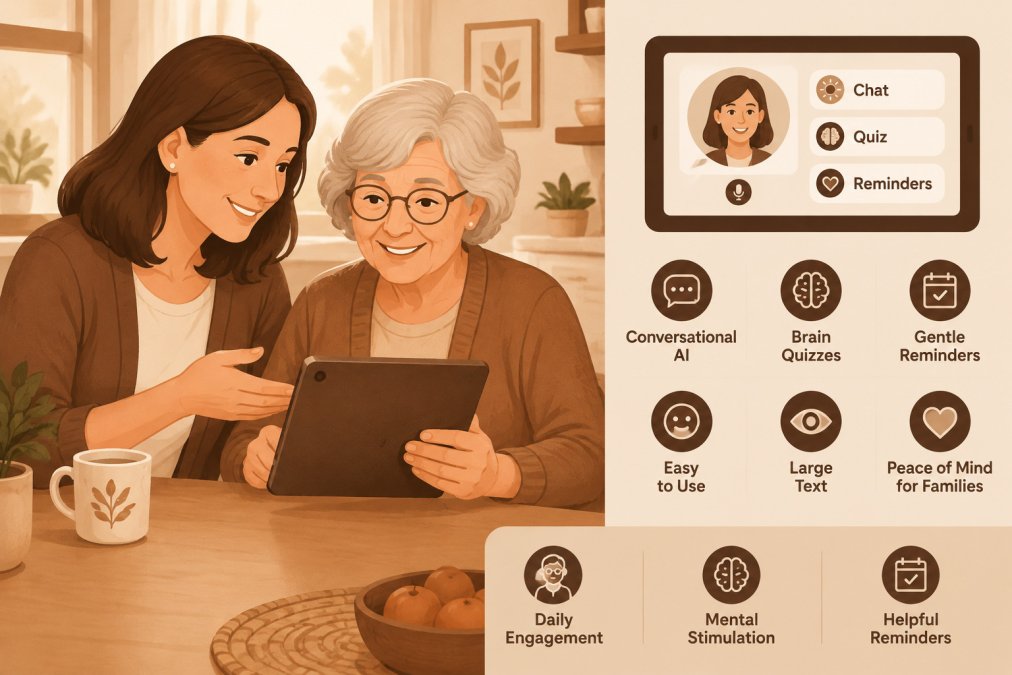
AskMarty is designed around these needs. Family members can also use the AskMarty Family Dashboard to view activity and send encouragement. Free trial and free plan options are available, and current pricing is listed on the pricing page. Reading the guide to starting with senior care apps can help you introduce a new tool step by step.
Protecting Privacy and Accounts While Introducing New Tools
Privacy is a fair concern. Before your parent uses any app, review the basics together.
- Ask the app's privacy policy questions. What information is collected? Is it sold to advertisers?
- Use a shared family plan thoughtfully. Decide who holds account access and who manages settings.
- Watch for scams. Teach your parent never to share codes or passwords with callers or pop-ups.
Review a checklist of privacy concerns to check in senior care apps before setting up an account. For broader guidance, read whether AI is safe for seniors and how to use it with confidence.
Starting Your Next Conversation with a Parent Who Says No
A refusal is not the end of the conversation. Try opening with curiosity:
- Ask what worries them most about the technology.
- Acknowledge the concern, even if you disagree.
- Offer one small, low-risk option.
- Agree on a time to revisit the topic.
The goal is to keep the door open. A parent who feels heard is more likely to try again later.
Ready to find a gentler way to stay connected? Explore AskMarty at https://askmarty.ai and start your free trial to see how daily conversation, brain quizzes, and reminders can fit into your parent's routine.
Frequently Asked Questions
Why do some old people refuse to use new technology?
Refusal usually has specific causes rather than a general unwillingness. Many older adults worry about making mistakes, feel embarrassed to ask for help, or had frustrating experiences with earlier devices. Physical changes such as vision or hand dexterity and memory-related challenges can also make new interfaces harder to learn. Research on older adults' technology use points to multiple barriers instead of a single cause, so identifying which barrier applies to your parent is the most useful first step.
Why do some older adults feel resistant to learning new technology?
Resistance often comes from a mix of emotional and practical concerns. A parent may feel anxious about breaking something, dislike feeling incompetent, or lack support from people who can teach them patiently. Past experiences with computers can also shape expectations. Many older adults report lower comfort and perceived control with technology than younger adults, which helps explain why starting slowly and building confidence matters.
How can I introduce technology to my parents without causing frustration?
Start with one purpose the parent already cares about, such as video calls with grandchildren or a daily reminder for medications, rather than a long list of features. Practice together in short sessions, let your parent lead, and avoid correcting every mistake. Choose devices with large text and simple navigation, and use voice input where it helps. Patience and a calm tone usually matter more than the specific app you choose.
What are the most common barriers for seniors using modern devices?
Common barriers include fear of making mistakes, unfamiliar terminology, small text and touch targets, memory challenges that make multistep tasks hard to retain, and concerns about privacy and scams. Many older adults also lack regular support when they get stuck. Naming the barrier you see, and addressing it directly, tends to work better than pushing a new tool harder.