 blog
Best Voice Activated Devices for Seniors
Table of Contents
- What Voice Activated Devices Do for Seniors
- Voice-Activated Phones for Seniors
- Best Smart Speakers for Seniors
- Smart Home Devices for Seniors Living Alone
- Medication Reminder Devices for Seniors
- What to Look for When Choosing a Voice Assistant
- Privacy, Safety, and Setup Considerations
- Frequently Asked Questions
Last Updated: October 18, 2026
What Voice Activated Devices Do for Seniors
Voice-activated devices help seniors stay connected, manage daily tasks, and maintain independence through spoken commands instead of typing, swiping, or navigating menus. For older adults with arthritis, vision changes, or limited tech experience, voice control removes friction that often prevents device use altogether.
The core appeal of the best voice activated devices for seniors is simplicity. Instead of remembering passwords or hunting through menus, your parent simply speaks, and a weather request, call to family, or medication reminder happens instantly.
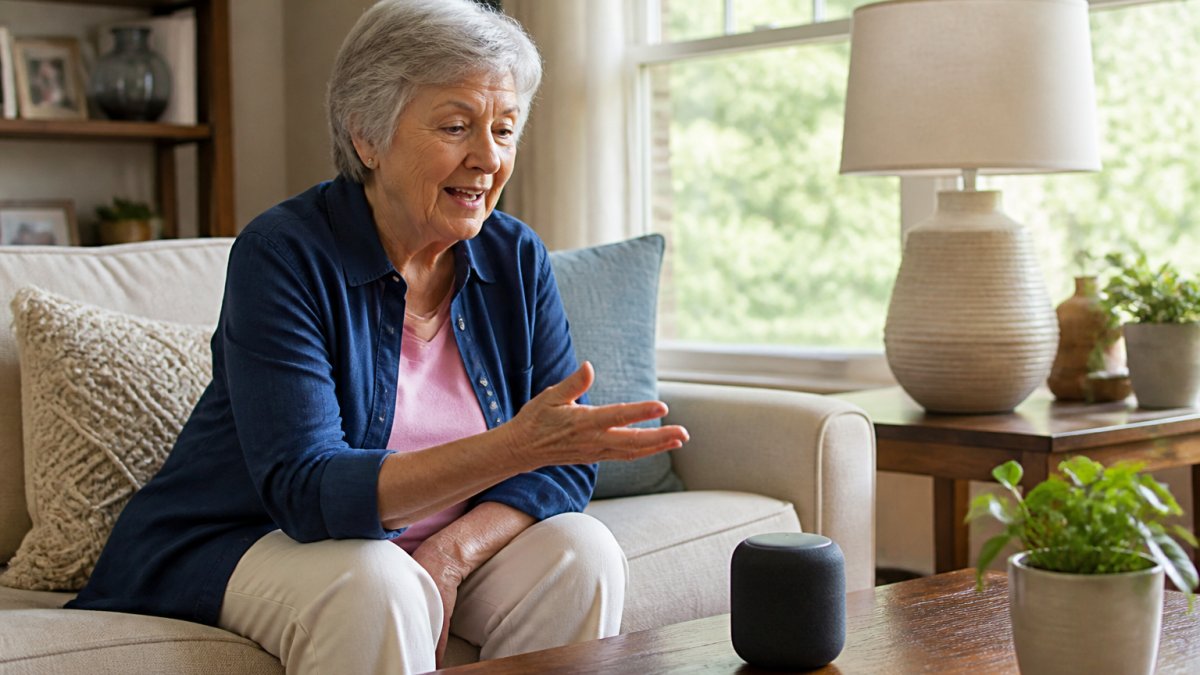
Beyond convenience, these devices address isolation. Many seniors living alone feel disconnected between family visits, and a voice assistant that answers questions, tells jokes, or reads news creates companionship. Research shows consistent interaction, even with an AI system, can reduce loneliness and provide mental engagement.
Safety is another critical benefit. Voice-activated emergency features let seniors call for help without fumbling for phones, and some devices detect falls or unusual patterns and alert family automatically. Gentle voice reminders about medications, appointments, and meals support independence while giving families peace of mind.
Voice-Activated Phones for Seniors
Voice-controlled phones are purpose-built for older adults who struggle with traditional smartphones, featuring large buttons, simplified interfaces, and voice commands for calling, texting, and emergency services. Unlike smartphones that demand constant updates and app management, voice phones stay focused on core functions.
The best voice activated phones for seniors include speed-dial buttons for frequent contacts. Instead of scrolling through lists, your parent presses a button labeled "Daughter" or says "Call John," eliminating the cognitive load of remembering numbers or navigating menus. Many models also offer hearing aid compatibility and adjustable volume reaching 80+ decibels.
Emergency response is straightforward: a dedicated SOS button connects directly to emergency services or pre-selected family members, and voice commands like "Call for help" bypass the need to find the right button during a crisis. This simplicity can be lifesaving for seniors with tremors, arthritis, or cognitive decline.
Battery life matters more on phones than on smart speakers. Senior-focused models often prioritize multi-day battery performance, reducing the daily charging burden and keeping the device available during emergencies. Look for physical charging connectors rather than wireless charging, which requires precise alignment.
Best Smart Speakers for Seniors
Smart speakers combine voice control with audio quality and information access in one device. Unlike phones, they don't require holding anything or managing a screen at arm's length; they sit on a table or nightstand, accessible day and night. For seniors with mobility limitations, a nearby speaker eliminates walking to retrieve a phone or tablet.
The best smart speakers for seniors prioritize audio clarity. Aging ears struggle with tinny or muffled sound, so look for deeper bass and adjustable treble. A dedicated volume dial gives your parent immediate, tactile control, which matters when they need to quickly turn down volume during a call or noise spike.
Setup simplicity separates good speakers from frustrating ones. Many mainstream models require downloading an app, creating accounts, and linking services, which lose non-tech-savvy seniors immediately. Look for minimal-setup speakers or large-print guides, and consider models that let family members configure settings remotely through a caregiver dashboard.
Voice recognition accuracy varies significantly. Speakers in noisy kitchens or living rooms may struggle without noise-cancellation technology. Test any speaker in your parent's actual environment before committing, since a device that works in a quiet demo room might fail repeatedly amid a television, dishwasher, or ambient noise.
| Feature | Why It Matters for Seniors |
|---|---|
| Large physical buttons | Easier than voice commands alone; accessible if voice recognition fails |
| Adjustable audio output | Accommodates hearing loss; customizable for comfort |
| Caregiver dashboard | Family can monitor activity and set reminders remotely |
| Offline functionality | Device continues working during internet outages |
| Durable build quality | Withstands accidental drops; lasts through years of daily use |
Smart Home Devices for Seniors Living Alone
Smart home automation reduces physical strain and creates a safer environment for seniors living independently. Voice-controlled lights eliminate reaching for switches or navigating dark hallways, smart thermostats adjust temperature without remembering settings, and voice- or app-controlled locks let family members admit caregivers or responders without your parent getting up.
The best voice activated devices for smart home control prioritize reliability and simplicity. A light that responds to "Lights on" beats one requiring specific phrasing or failing intermittently. Look for systems with physical backup controls, like a manual switch alongside the voice-activated version, so your parent isn't fully dependent on technology.
Safety applications are significant. Motion-sensor lights prevent falls by illuminating paths to the bathroom at night, smart door sensors alert family if a senior leaves unexpectedly, and temperature monitoring catches dangerously cold or overheated conditions seniors might not notice.
Installation and maintenance often fall on family members. Choose systems designed for easy setup without wall modifications or professional installation; wireless battery devices are simpler to add than hardwired ones. Battery life should be measured in years, not weeks, so your parent avoids constant replacement cycles.
Medication Reminder Devices for Seniors
Medication adherence is one of the most common challenges for seniors managing multiple prescriptions, and missed doses or incorrect timing can cause serious complications. Voice-activated medication reminders deliver gentle, persistent alerts at scheduled times and, unlike passive pill organizers, actively communicate with your parent and confirm when medication has been taken.
The best medication reminder devices integrate with family dashboards, letting adult children see whether their parent took medications on schedule. Some send notifications if a dose is missed, enabling a follow-up call or visit and providing peace of mind without constant check-ins.
Voice confirmation is key. When a device says "Time to take your blood pressure medication," your parent knows exactly which medication and when. Some advanced systems read back the name, dosage, and special instructions like "take with food," catching mistakes before they happen, which is invaluable for seniors with cognitive changes.
Integration with other devices matters. A medication reminder that connects to smart speakers means your parent receives alerts through an existing device rather than learning a new system. If they already use a speaker for weather and news, adding reminders there feels natural rather than overwhelming.
What to Look for When Choosing a Voice Assistant
Selecting the best voice activated devices for seniors requires balancing ease of use, reliability, and feature depth.
Ease of setup is non-negotiable. If a device requires downloading apps, creating accounts with complex passwords, or linking multiple services, it will sit unused. The best systems work immediately after power-on with minimal configuration, and devices that let family members handle setup remotely spare your parent complex menus.
Voice recognition accuracy in real-world conditions matters more than marketing claims. Test devices in your parent's home with television noise, kitchen sounds, or whatever ambient conditions they live with, since a device that works in a quiet demo room might fail in a busy household.
Audio quality directly impacts usability. Tinny speakers frustrate users and make voice output hard to understand, especially for seniors with hearing loss. Listen yourself: can you clearly understand each word, is the volume sufficient without being uncomfortably loud, and can your parent adjust it easily?
Privacy and data handling deserve serious consideration. According to Federal Trade Commission guidance on voice-activated devices, voice assistants collect audio data that companies use to improve their services. Understand what data is collected, how long it's stored, and whether your parent can delete recordings.
Caregiver access and permissions vary significantly. Some systems let family members set reminders, monitor activity, and receive notifications without repeated approval, while others require your parent to approve each action. If your parent has cognitive changes, remote management reduces frustration and ensures important tasks aren't forgotten.
Privacy, Safety, and Setup Considerations
Setting up voice-activated devices for seniors requires balancing functionality with security.
Voice recognition can be both a feature and a security concern. Devices that respond to any voice might accept commands from visitors your parent didn't intend to authorize.
Microphone privacy matters to many seniors. Devices with physical mute buttons give your parent control over when the microphone is active, and some people feel more comfortable knowing they can disable listening with a single press.
Data retention policies vary dramatically between manufacturers. According to Consumer Reports on voice assistant privacy, some companies keep audio recordings indefinitely while others delete them after 90 days. Review the privacy policy for any device before purchasing.
Caregiver setup and permissions deserve careful attention. If you're managing reminders or monitoring activity, understand exactly what information you can see and what notifications you'll receive. Some systems alert only when medications are missed, while others provide daily activity summaries.
Regular updates keep devices secure and improve functionality. Set a monthly reminder to check for software updates; most devices update automatically if left plugged in overnight, but verify rather than assume. Outdated software can create security vulnerabilities and miss important feature improvements.
Finding the best voice activated devices for seniors means prioritizing what actually matters to your parent's life: staying connected, remembering medications, controlling their environment, or having a responsive companion during quiet hours.
At AskMarty, we understand that technology should serve seniors' independence, not complicate it. Our platform complements voice-activated devices by providing personalized brain quizzes, medication reminders, and family connection through a respectful interface designed specifically for aging eyes and hands.
Frequently Asked Questions
Can voice-activated devices call family members in an emergency?
Many voice-activated devices support emergency calling through voice commands. Smart speakers can dial family members or emergency services if set up properly, though response time depends on your internet connection and device configuration. Dedicated voice-activated phones often include dedicated emergency buttons alongside voice calling. Seniors should test these features with family members first to ensure reliability. Setup typically requires caregiver assistance to program emergency contacts and permissions.
Can seniors use a smart speaker to set medication reminders?
Yes. Smart speakers can set daily medication reminders through voice commands like 'Alexa, remind me to take my medication at 9 AM.' Reminders announce at the scheduled time and can repeat until acknowledged. Some seniors benefit from companion apps like AskMarty, which combines voice reminders with a family dashboard so caregivers receive notifications when reminders are completed. For seniors with cognitive changes, personalized reminder systems that integrate with family oversight offer stronger adherence support than voice commands alone.
What should you look for in a voice assistant for an older adult living alone?
Prioritize hands-free operation, clear speech recognition, and large-text display options. Look for devices with emergency calling, medication reminders, and family notification features. Accessibility matters: hearing assistance, adjustable volume, and support for speech variations improve usability. Consider caregiver-oversight capabilities so family members can monitor activity and receive alerts. Setup should be password-free for the senior, with remote administration by caregivers. Test privacy controls carefully and verify that personal data is encrypted and not sold to third parties.
Are there free voice-activated options for seniors who are not tech-savvy?
Several options offer free or low-cost entry points. Many smart speakers have free basic voice features; some apps like AskMarty offer free trials. However, 'free' often means limited caregiver oversight or fewer advanced reminders. Flip phones with voice-to-text capabilities are simpler for non-tech users but lack smart-home integration. For seniors with no smartphone experience, voice-activated devices designed for accessibility (large buttons, simple menus, no login required) work best. Family members typically need to handle initial setup, which takes 30-60 minutes.