 blog
Top Rated Companion Apps for Seniors 2026
Table of Contents
- Why Companion Apps Matter for Seniors
- What AI Companion Apps for Seniors Actually Do
- Key Features: What to Look for in a Senior Companion App
- Senior Medication Reminder Apps and Daily Support
- Caregiver Apps for Families: Staying Connected Remotely
- Pricing, Free Trials, and Getting Started
- Common Concerns and What Actually Works
- Conclusion
- Frequently Asked Questions
Last Updated: October 19, 2026
Why Companion Apps Matter for Seniors
Loneliness affects millions of older adults. A senior living alone often experiences fewer daily interactions than they did during their working years. This isolation can lead to depression, cognitive decline, and reduced motivation to maintain healthy routines.
Companion apps designed for seniors address this gap by providing consistent, judgment-free engagement. These applications offer conversation, reminders, mental stimulation, and a bridge to family members who may live far away. For many seniors, a companion app becomes part of their daily rhythm, something they can access anytime without needing to call someone or feel like a burden.
Seniors respond best to companion apps that respect their dignity, use large text and simple interfaces, and don't require passwords or complex setup. The best companion apps for seniors 2026 share a common thread: they're designed WITH older adults in mind, not adapted from tools built for younger users.
What AI Companion Apps for Seniors Actually Do
An AI companion app for seniors is a mobile or voice-activated platform that provides daily interaction, reminders, and mental engagement tailored to older adults. Unlike generic chatbots, these apps understand the specific needs of aging, medication management, reduced mobility, hearing changes, and the desire for meaningful connection.
Here's what they actually deliver:
- Daily conversation and engagement, Text or voice chat that feels natural and responsive to the user's interests
- Medication and appointment reminders, Gentle notifications that help seniors stay on track with health routines
- Mental stimulation, Quizzes, trivia, memory games, and activities designed to keep minds active
- Family connectivity, Dashboards where adult children can see activity, check in on medication adherence, and receive alerts
- Safety and routine support, Check-ins and reminders that help seniors maintain independence while giving families peace of mind
The reality is less dramatic than the marketing suggests. These apps won't cure dementia or replace human care. But they do reduce the friction of daily life for seniors who live alone and give families visibility into whether their parent is taking their medication or staying engaged.
Key Features: What to Look for in a Senior Companion App
When evaluating companion apps for seniors, focus on four core areas: accessibility, privacy, reliability, and integration with family oversight.
Voice Interaction and Hands-Free Use
Voice input is non-negotiable for seniors who struggle with touchscreens or have vision changes. A good companion app for seniors should respond to natural speech without requiring specific commands or wake words.
Look for apps that:
- Activate with a simple phrase or always-listening capability
- Understand conversational speech, not just commands
- Provide clear audio feedback so users know they've been heard
- Work reliably without internet connectivity for basic functions
Voice interaction removes the barrier of physical dexterity. A senior who can't hold a phone steady or see small text can still interact fully through voice. This single feature often determines whether an app gets used daily or sits untouched on a device.
Accessibility and Ease of Setup
The best companion apps for seniors 2026 require zero technical knowledge to set up. No passwords. No app store navigation. No account creation screens.
Essential accessibility features include:
- Large text (17pt minimum), Standard smartphone text is too small for most seniors over 75
- High contrast, Dark text on light background or white on dark, never gray on gray
- Large touch targets (44pt minimum), Buttons and interactive elements spaced far apart to prevent accidental taps
- Simplified navigation, Two to three screens maximum; no nested menus
- Audio confirmation, The app speaks back what it understood, reducing confusion
- No login required for the senior user, Family members set it up once; the senior just opens it
Many seniors have never used a smartphone. They've gone from a flip phone directly to being given an iPad. An app that requires them to create an account, remember a password, or navigate an app store will never get used. The setup burden falls entirely on the adult child, and if it takes more than five minutes, they'll abandon it.
Privacy and Data Protection
Seniors are frequent targets of scams and data theft. Any companion app for seniors must be transparent about what data it collects, how long it stores information, and whether it sells data to third parties.
Questions to ask before choosing an app:
- Does the company sell user data to advertisers or brokers? (Many do, even if they don't advertise it.)
- What data does the app collect? (Conversation logs, location, health information, contact lists?)
- How long is data retained? (Some apps keep everything forever; others delete after 30 days.)
- Is the app encrypted end-to-end? (Protects conversations from being read by the company itself.)
- What's the privacy policy in plain language? (If you can't understand it in five minutes, that's a red flag.)
A reputable app will have a privacy policy that doesn't hide behind legal jargon. It should be clear about what data it uses and why. If an app is free with no subscription, data monetization is likely how they're making money.
Senior Medication Reminder Apps and Daily Support
Medication adherence is one of the most common challenges for seniors living alone. Missed doses lead to hospitalizations, emergency room visits, and preventable health crises.
A good senior medication reminder app does more than send a notification. It:
- Sends reminders at the exact time medication is due
- Asks the senior to confirm they've taken it (not just dismiss the alert)
- Logs adherence so family members can see if doses were missed
- Explains why each medication matters (reduces the temptation to skip it)
- Integrates with pharmacy systems when possible to flag interactions or refill needs
The best apps combine medication management with broader daily support, reminders to eat, drink water, take a walk, or call a family member. This prevents the app from feeling like a nagging medical device and instead positions it as a supportive companion.
AskMarty includes medication reminders as part of its broader engagement model, combining health management with mental stimulation through daily brain quizzes and personalized conversation.
Caregiver Apps for Families: Staying Connected Remotely
For adult children managing a parent's care from a distance, a family dashboard is essential. This gives visibility into daily activity without requiring constant phone calls or surprise visits.
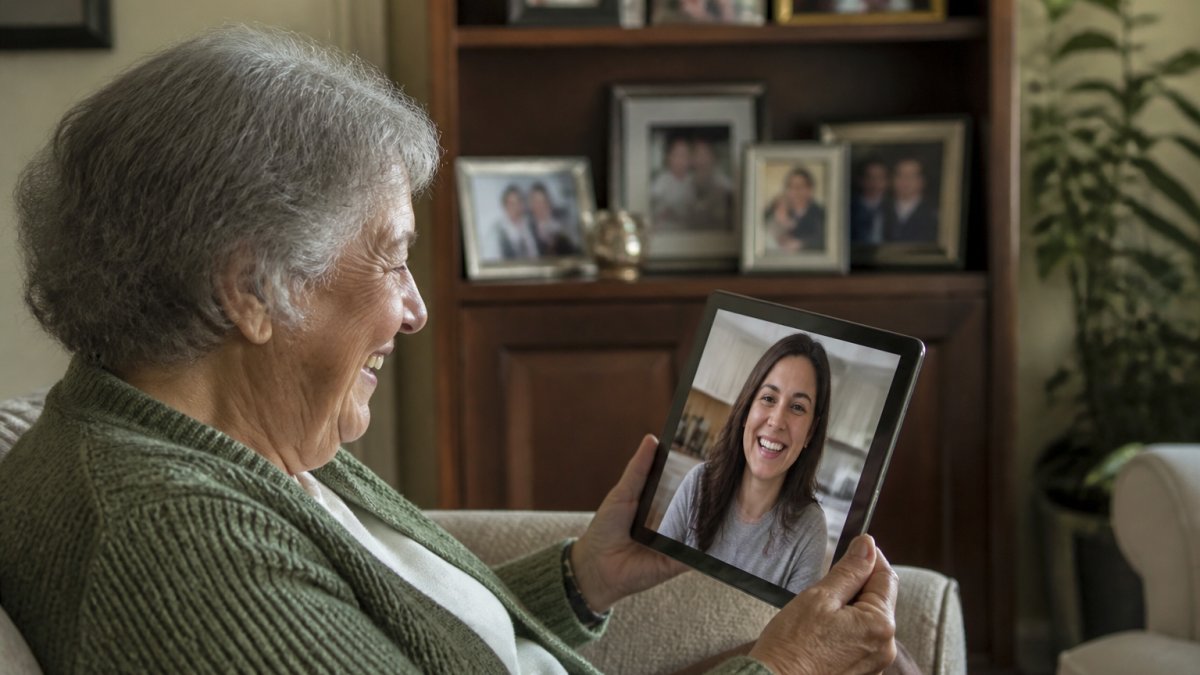
A strong caregiver app for families provides:
- Activity logs, See when the senior used the app, what they engaged with, and whether they're maintaining routine
- Medication adherence tracking, Real-time alerts if a dose is missed, with the ability to follow up
- Communication tools, Video calling, voice messages, or shared photo albums that keep the family connected
- Health metrics, Integration with wearables or manual input for blood pressure, weight, or mood
- Alert settings, Customizable notifications for missed medications, inactivity, or concerning patterns
The goal isn't surveillance, it's informed support. A caregiver app that shows your parent used the app at their normal time, completed their medication reminder, and engaged with a quiz gives you confidence they're doing okay. An app that shows no activity for 24 hours is a legitimate reason to call and check in.
Many adult children feel guilty about not visiting more often or worry they're missing warning signs of decline. A caregiver app reduces that anxiety by providing regular, low-friction visibility into daily life.
Pricing, Free Trials, and Getting Started
Most companion apps for seniors offer a free trial period. This is critical, you need to test whether your parent will actually use it before committing to a subscription.
When evaluating pricing, consider:
- Free trial length
- Subscription cost
- Family plan options
- Cancellation policy
- Free tier availability
Before paying, test the app yourself. Try the voice interaction, navigate the interface, and check the family dashboard. If you find it confusing, your parent likely will too.
Common Concerns and What Actually Works
"My parent has never used a smartphone. How will this work?"
The best companion apps for seniors require almost no smartphone knowledge. Voice interaction is the key.
"I'm worried about privacy. Will AskMarty sell my parent's data?"
Reputable apps are transparent about data use. AskMarty's approach prioritizes privacy and does not sell user data to advertisers.
"Will this actually help, or is it just a distraction?"
Companion apps don't reverse cognitive decline, but they do reduce loneliness and encourage daily mental engagement.
"My parent lives with me. Does this still make sense?"
Yes, but differently. Even seniors who live with family benefit from independent engagement and mental stimulation.
"I'm skeptical about AI. Won't my parent get confused thinking this is a real person?"
A well-designed app is clear that it's AI. It doesn't pretend to be human or claim to remember previous conversations if it doesn't.
| Concern | Reality | Best Practice |
|---|---|---|
| Smartphone difficulty | Voice interaction bypasses most barriers | Start with a free trial on existing device |
| Privacy fears | Reputable apps are transparent about data | Read privacy policy; ask the company directly |
| Will it actually help? | Reduces loneliness; improves engagement | Use alongside human contact, not instead of it |
| Cohabitation questions | Still valuable for independent engagement | Reduces caregiver burden during the day |
| AI confusion | Well-designed apps are clear about being AI | Avoid apps that pretend to be human |
Conclusion
The best companion apps for seniors 2026 share a common philosophy: respect the user's intelligence and independence while removing unnecessary friction. They're built for older adults, not adapted from tools designed for younger users.
AskMarty exemplifies this approach with a large-text interface, voice-activated interaction, no-password setup, and a family dashboard that keeps adult children informed without intrusive surveillance. The app combines daily engagement through personalized brain quizzes with practical support through medication reminders and activity tracking, all designed to reduce loneliness while giving families peace of mind.
Choosing the right companion app means testing it with your parent first. Start with a free trial, involve them in the decision, and be honest about what the app can and can't do.
AARP research on senior loneliness and social connection
CDC guidelines on healthy aging and cognitive engagement
Consumer Reports guide to digital privacy and data protection
Frequently Asked Questions
What are the best companion apps for seniors in 2026?
The best companion apps for seniors combine voice interaction, medication reminders, and family connectivity in an interface designed for aging eyes. Look for apps with large text (17pt+), no password requirements, personalized daily activities like brain quizzes, and transparent privacy policies. Free trials let you test whether an app fits your needs before committing. AskMarty, for example, offers all these features with a respectful AI companion that learns your interests and preferences over time.
How do AI companion apps help reduce loneliness in older adults?
AI companion apps reduce loneliness by providing consistent, judgment-free interaction and daily engagement. They initiate conversations, ask about your day, offer brain quizzes tailored to your interests, and send friendly reminders for medication and appointments. This regular contact combats the isolation that many seniors experience, especially those living alone. The key is that the app is available anytime, morning, evening, or 3 a.m., creating a sense of reliable presence without replacing human relationships.
Can family members monitor a senior's activity through a caregiver app for families?
Yes. Caregiver apps designed for families include dashboards that show whether your loved one took their medication, engaged with daily activities, and completed reminders. This transparency gives peace of mind without invasive surveillance. You receive notifications when reminders are missed or when your parent checks in, allowing you to step in if needed. The best apps balance monitoring with respect for independence, your parent knows you're informed but not hovering.
Are there free companion apps for seniors, and do they really work?
Many companion apps offer free trials or free plans with limited features. Free versions typically include basic conversation, some reminders, and simple activities. Paid plans add personalization, advanced medication tracking, family dashboards, and priority support. Whether a free app works depends on your needs: free options can be suitable for testing and light engagement, while seniors with complex medication schedules or family coordination needs may find paid features offer fuller functionality and caregiver oversight.