 ultimate-guide
7 Data Privacy Concerns to Check in Senior Care Apps
Last Updated: November 2, 2026
Quick Summary
Data privacy concerns for senior care apps center on what data is collected, who can see it, and whether it is sold or shared. Older adults often share health-adjacent details like medication schedules and daily conversations, which makes these apps more sensitive than typical consumer products. Families should read the privacy policy and check security practices before a parent starts using any app.
- Check the privacy policy for a plain list of what data the app collects.
- Note that many consumer apps fall outside HIPAA, so HIPAA compliance alone is not a full answer.
- Confirm the app uses encryption for data in transit and at rest.
- Look for a clear process for reporting security incidents and notifying users.
- Review app permissions together and turn off any the app does not truly need.
Table of Contents
- Why Data Privacy Matters More for Senior Care Apps
- What Types of Data Senior Care Apps Collect
- The Most Common Privacy Concerns Families and Seniors Raise
- HIPAA Compliance for Consumer Apps: What It Does and Doesn't Cover
- How to Evaluate App Security for Seniors
- Best Practices for Senior Digital Privacy at Home
- Reviewing a Privacy Policy Before Your Parent Starts Using an App
- Frequently Asked Questions
Why Data Privacy Matters More for Senior Care Apps
Data privacy concerns for senior care apps are no longer a niche worry. Older adults often share health details, daily routines, medication schedules, and personal conversations with the tools they use. That makes the information far more sensitive than a typical shopping or social media profile. For a broader overview of privacy and safety basics for older adults using AI, read our practical safety guide.
Privacy is also a real barrier to adoption. A Future of Privacy Forum survey on AgeTech adoption found that a majority of older adults are unsure whether AgeTech products will protect their privacy, and that this uncertainty ranks among the top barriers to adoption.
Families are right to ask hard questions before a parent starts using any app. At AskMarty, we believe the right answers should be easy to find, and this guide walks through the seven privacy concerns worth checking first.
What Types of Data Senior Care Apps Collect
Senior care apps can gather more than most people expect. Depending on the product, the data may include profile details, daily activity patterns, reminder and medication information, voice or chat content, device identifiers, and usage history.
Some of this information is health-adjacent even when it does not look like medical records. A log of when someone takes medication, or what they talk about each morning, reveals a great deal about their life.
Before signing up, check the privacy policy for a plain list of what is collected. If the list is vague or missing, treat that as a warning sign. Reminder features should be evaluated against the same clear standard: know exactly what reminder data is stored and who can see it.
The data a senior care app may gather often reaches further than families expect. Here is a quick overview of the categories the article describes.
| Data category | Example | Why it matters |
|---|---|---|
| Profile details | Name, age, contact information | Identifies the user |
| Daily activity patterns | Routines and timing of use | Reveals daily life |
| Reminder and medication information | Medication schedules | Health-adjacent detail |
| Voice or chat content | Morning conversations | Personal and sensitive |
| Device identifiers | Device-level IDs | Links data to a device |
| Usage history | Past app interactions | Builds a detailed profile |
The Most Common Privacy Concerns Families and Seniors Raise
Several concerns come up again and again. Older adults often worry about who can see their information, whether it will be sold, and whether they can delete it later. Adult children tend to ask whether they will be able to see what their parent shares, and whether the parent truly controls their own data.
Caregiving adds another layer. A Tian and coauthors study on privacy concerns in home monitoring reports that older people may feel uneasy about sharing data with different family members or professional caregivers. Consent and sharing rules should be clear from the start. The AskMarty Family Dashboard lets invited family members view supported activity and reminder information, which reflects that idea of defined, visible sharing.
The concerns are reasonable. The goal is to match each one to a specific setting or policy statement you can verify.
HIPAA Compliance for Consumer Apps: What It Does and Doesn't Cover
Many families assume that any health-related app must follow HIPAA. In general, the Health Insurance Portability and Accountability Act applies to covered entities such as health plans, healthcare providers, and their business associates. Many consumer apps fall outside that scope.
A ClearDATA consumer survey on health data misconceptions found that 81% of Americans incorrectly believe all digital health data is protected by HIPAA. That gap in understanding is exactly why families should read the policy rather than assume protection.
HIPAA compliance is one signal, not a complete answer. Ask what the app promises, how it handles data sharing, and whether it describes its security practices in plain language.
How to Evaluate App Security for Seniors
Security evaluation does not require technical training. Our step-by-step guide to setting up and supporting new technology walks through each stage. Start by checking whether the app uses encryption for data in transit and at rest, whether it offers multi-factor or device-based protection, and how it handles account recovery.
Look for a clear process for reporting security incidents and notifying users. The IEEE Spectrum review of privacy practices in apps for older adults reported that many reviewed health apps designed for older adults lacked basic breach-notification protocols, so this is worth confirming directly.
Also check whether the app minimizes data collection, meaning it gathers only what it needs to function.
Best Practices for Senior Digital Privacy at Home
Privacy is also a household habit. Sit down together and review the app's settings with your parent. Turn on only the permissions the app truly needs, such as notifications or microphone access, and turn off the rest.
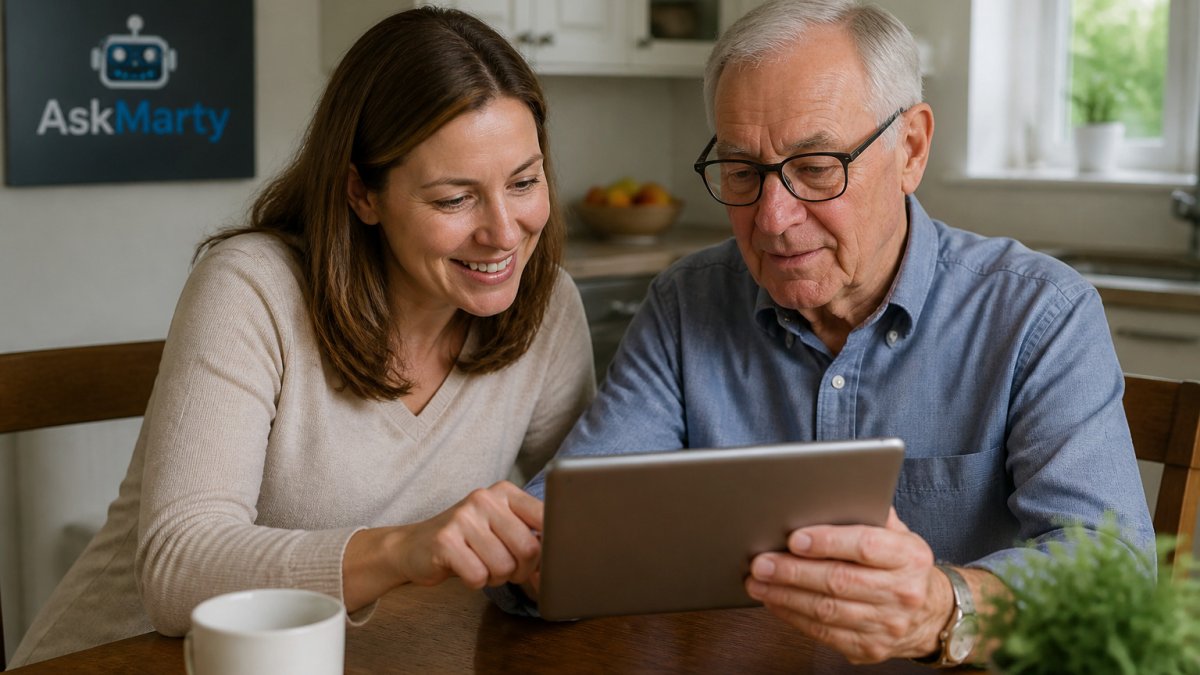
Use a strong, unique password or the device's built-in lock, and keep the phone or tablet updated. Agree on who in the family is invited to view activity, and revisit that list every few months.
Consider talking through what should stay private. Some seniors are comfortable sharing their medication schedule with family but prefer their conversations stay personal. Respecting those boundaries builds trust.
Reviewing a Privacy Policy Before Your Parent Starts Using an App
Privacy policies are long, but a focused read can answer most questions. Look for what data is collected, who it is shared with, whether it is sold, how long it is kept, and how a user can request deletion.
Pay attention to phrases like "third-party partners" or "affiliates," which often describe data sharing for advertising or analytics. Note whether the policy says the company will notify users of changes.
Finally, check whether the app explains how family members are given access and how that access can be revoked. Clear answers here make it far easier to support your parent with confidence.
Frequently Asked Questions
What should I look for in a privacy policy for a senior care app?
Start by checking what data the app collects, such as health information, voice recordings, and location. Look for a clear statement on whether data is sold or shared with advertisers or third parties. Confirm how long data is kept, how it is encrypted, and whether you can request deletion. Vague language like 'we may share data with partners' is a signal to ask the company directly before your parent begins using the app.
How do AI companion apps handle personal data?
Practices vary widely. Some apps store conversation content to improve their services, while others limit what they keep. A trustworthy provider should explain in plain language what is stored, for how long, and who can access it. Ask whether conversations are used to train models and whether family members who are invited to a dashboard see only the information they need.
Are senior care apps required to be HIPAA compliant?
Not always. HIPAA applies to covered entities such as healthcare providers, health plans, and their business associates. Many consumer apps fall outside HIPAA, even when they handle health-related information like medication reminders. Many people incorrectly believe all digital health data is protected by HIPAA, so ask the company directly whether it is covered and what protections it applies instead.
How can I protect my aging parent's data when using new technology?
Use a strong, unique password or a device lock the parent can manage, keep software updated, and review which permissions the app requests. Talk with your parent about what information they are comfortable sharing. Revisit privacy settings every few months, since apps and their policies change over time.